I Built screen2.me Because I Needed Fast Screen Sharing Again

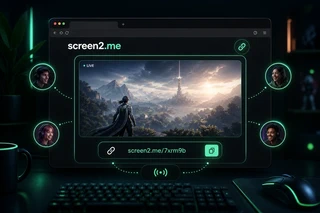
I play games with friends almost every week, and screen sharing is part of that routine. Sometimes someone wants to show a match, debug a game setting, share a browser tab, or just let the rest of the group watch what is happening.
For a long time, Discord was enough for that.
But in August 2026, Discord had to suspend its Go Live feature and equivalent video sharing resources in Brazil after a preventive measure from ANPD, Brazil’s data protection authority, related to child and teenager safety risks on the platform.
That decision made sense as a serious regulatory and safety issue, but it also created a very practical gap for normal users who used screen sharing every day.
I felt that gap immediately.
I did not want another heavy app. I did not want accounts to be required just to show something quickly. I did not want a long onboarding flow.
I wanted the simplest possible version:
Open a page.
Click share.
Send the link.
That is why I built screen2.me.
The idea
screen2.me is a fast screen sharing tool that runs in the browser. The goal is not to replace a full meeting platform. It is intentionally smaller than that.
It is for the moments when you just need to show your screen now.
No download.
No meeting setup.
No unnecessary ceremony.
Just a temporary room, a link, and a live screen.
Why I wanted it
The first version was built for my own use case: gaming with friends.
When you are in a call and someone says “look at this”, the product should not get in the way. It should feel instant. If a friend needs to open a link in an anonymous tab, they should be able to watch without thinking too much about it.
That constraint shaped the product.
Anonymous users can start quickly. Logged-in users can keep a fixed sharing link with their username, like screen2.me/@leonardosalles, and keep room history over time.
What is under the hood
The app uses WebRTC for peer-to-peer video when the network allows it, with a NestJS backend handling the app routes, authentication, rooms, presence, and signaling. Prisma and Postgres keep the user and room data persistent.
I also added a few product details that matter in real use:
- No local preview while sharing, to avoid the infinite mirror effect
- A clear viewer state when a stream is offline
- A countdown for anonymous viewing limits
- A better message when a network blocks WebRTC traffic
- A fullscreen mode that works across desktop and mobile browsers as much as the platform allows
What I learned
The biggest lesson was that “it works in the browser” does not always mean “it works on every network”.
WebRTC can be excellent when the path between peers is open. But some ISPs, routers, enterprise networks, VPNs, antivirus suites, or firewall configurations can block the UDP traffic needed for direct connections. When that happens, a TURN relay is usually the proper production-grade solution.
For this product, I wanted to keep the first version lean and learn from real usage before adding infrastructure that increases operational cost.
So the current version focuses on a direct browser experience and clear feedback when the viewer’s network blocks the connection.
Shipping small tools
This is exactly the kind of project I like building: a small tool created from a real annoyance.
Not every product needs to start as a huge platform. Sometimes it starts because something you used every day gets suspended, disappears, or no longer fits your workflow.
screen2.me came from that moment.
I needed a fast way to share my screen with friends.
So I built one.
You can try it here: screen2.me
