Automated Counter-Strike 2 Server on AWS and Building a Production-Ready REST API with Node.js and Express

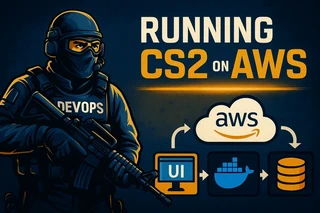
I built an automated, on-demand Counter-Strike 2 server system on AWS using:
- AWS CDK
- EC2 + custom AMI
- Lambda
- API Gateway
- DynamoDB
- Docker + ECR
- CloudWatch + SSM
And along the way I battled:
- SteamCMD downloading 60GB on every boot
- A nasty CDK cyclic dependency
- Boosteroid blocking RCON
- The quirky CS2 startup sequence
- Status propagation between EC2 → Docker → API → DynamoDB
The final result: Click “Start Server”, wait ~50 seconds, and play.
The Story
It started with one simple idea
My friends and I wanted our own Counter-Strike 2 server for a private event — no ads, no strangers joining, no random configs, no 10 games needed to join parties(new players).
“Surely this is easy,” I thought.
Spin up an EC2, install SteamCMD, run the server, done… right?
Of course not.
The project quickly escalated into a full AWS infrastructure build, a Docker image, a custom AMI, and a debugging journey through the depths of Steam’s ecosystem.
And honestly? I loved every minute of it (after the pain ended).
Architecture Overview
Here’s what the final system looks like:
How it works
- The UI calls API Gateway
- API triggers a Lambda
- Lambda orchestrates EC2 instances, Docker, ECR, and DynamoDB
- EC2 boots from a custom AMI
- Docker runs the CS2 server
- The entrypoint script hooks into the logs and POSTs the server’s RUNNING / ERROR status back to the API
- UI shows live stats and exposes RCON
Simple. Robust. Mostly serverless. And it only costs money when the server is actually running.
The First Major Issue: SteamCMD Downloading 60GB at Every Boot
On my first test, I saw this in the logs:
Update state (0x5) verifying install…
Yes. Every. Single. Boot.
Each cold start took nearly 2 hours, and AWS bandwidth limits weren’t helping.
How I fixed it
I created a custom AMI:
- Launch a temporary EC2 instance
- Install SteamCMD
- Run app_update 730
- Preload all game files
- Remove temporary artifacts
- Bake a clean AMI
Now each new server boots in ~2 minutes instead of two hours.
This transformation was the turning point of the project.
The Second Major Issue: CDK Lambda → API Gateway Cyclic Dependency
In my initial architecture:
- API needed the Lambda (for route integration)
- Lambda needed the API URL (to POST back server status)
CDK panicked:
“Adding this dependency would create a cyclic reference.”
Fix
Use SSM Parameter Store:
- API Stack writes /cs2/api-url
- Lambda / EC2 read it at runtime
No hardcoded URLs, no inter-stack dependency loops.
Elegant solution with a real “ah, that’s how you’re supposed to do it” moment.
Boosteroid (and other cloud gaming services) broke Remote Console
To allow players to be admin, we need Remote Console(RCON), and here it starts the unexpected problem:
- Players using Boosteroid couldn’t send RCON commands.
- Packets simply didn’t leave the virtual machine.
- The service blocks certain outbound ports.
Solution: Build my own RCON client in the UI
I added:
- A secure RCON proxy in the backend
- A custom RCON console UI
- Web → API → RCON → CS2 server flow
Now RCON works anywhere — even from cloud gaming instances.
That said, now we can change maps, kick bots, restart game and send all commands available in the game with a custom field.
CS2’s Startup Sequence Is… Special
Some games expose a port once they’re ready.
CS2? Nope.
It takes ~180–220 seconds after the port opens before the server is actually playable.
My workaround
The Docker entrypoint script tails logs and looks for:
- “Spawn Server”
- “Server is hibernating”
When detected, it calls:
POST /servers/
If CS2 fails to reach that state after 12 minutes, it instead sends:
{ state: “ERROR” }
This gave me real-time, accurate server readiness — something SteamCMD will never tell you.
Infrastructure Layout
The repo is structured like this:
packages/infra/
  ├── api-stack.ts
  ├── compute-stack.ts
  ├── ecr-stack.ts
  ├── database-stack.ts
  ├── lambda-stack.ts
  ├── network-stack.ts
  └── app-stack.ts
Each piece is isolated, reusable, and redeployable.
AWS CDK isn’t perfect, but for this project… It was the right tool.
What I Learned
- AMIs are essential for large game installations or file based projects
SteamCMD is not designed for on-demand servers.
- CDK cycles are a rite of passage
If you haven’t hit one, your project isn’t big enough yet.
- Cloud gaming platforms have weird network constraints
Build your own abstractions.
- Log-based readiness beats network probing
Especially for CS2.
Questions? Leave a comment below or reach out on Twitter!
